
The AI that does the work you keep redoing.
Describe one recurring job. Fernary builds the workflow, runs it on a schedule or the moment something happens in your tools, and waits for your approval wherever judgement matters.
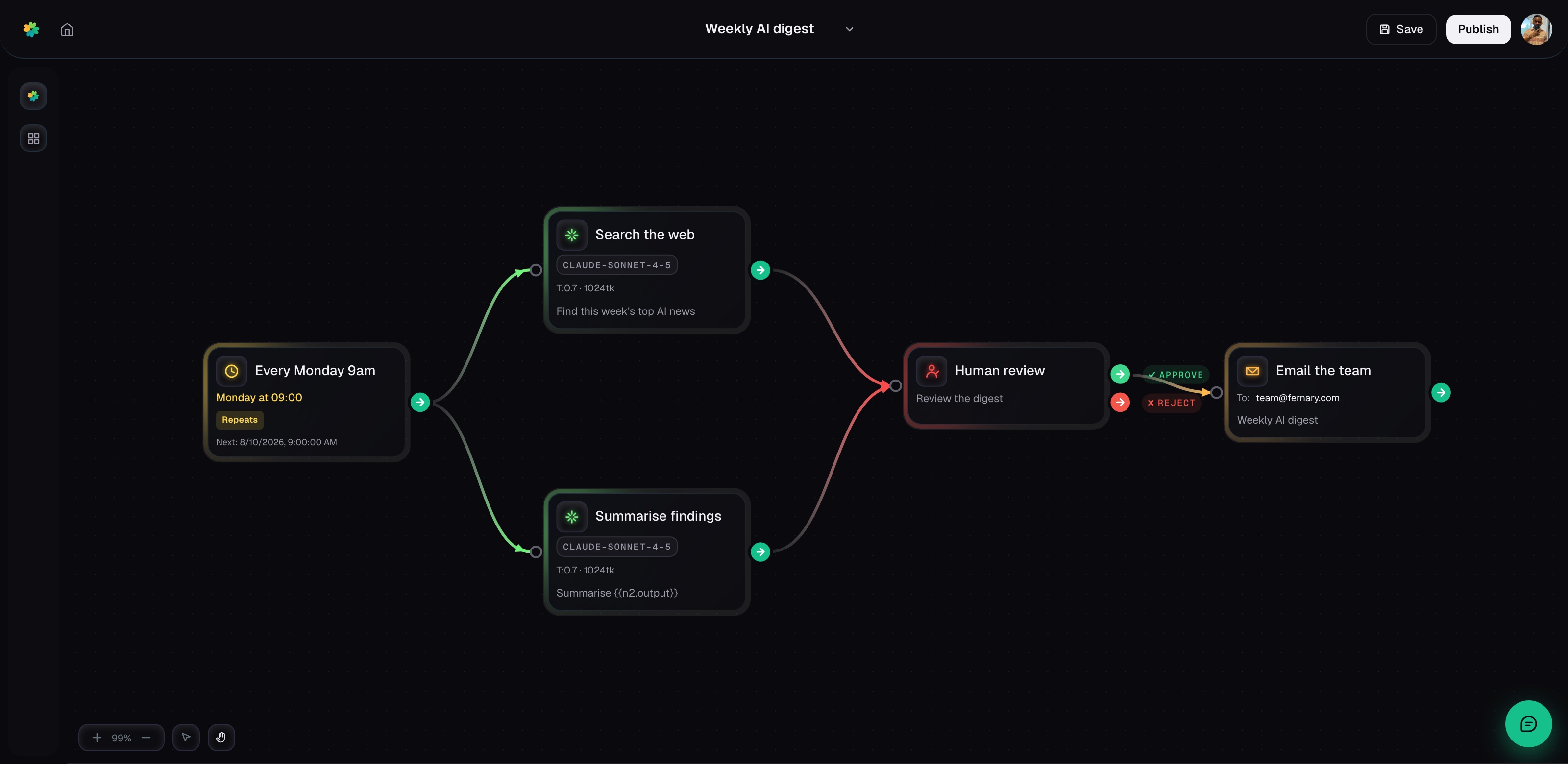
You already know the work. It’s the same twenty minutes every Monday, the same five tabs, the same copy and paste. Describe it once and it stops being your job.
Say it once.
It’s built.
The builder reads the tools you connected, picks the steps, and explains what it made. The canvas is there when you want to change something by hand, but you never start from a blank one.
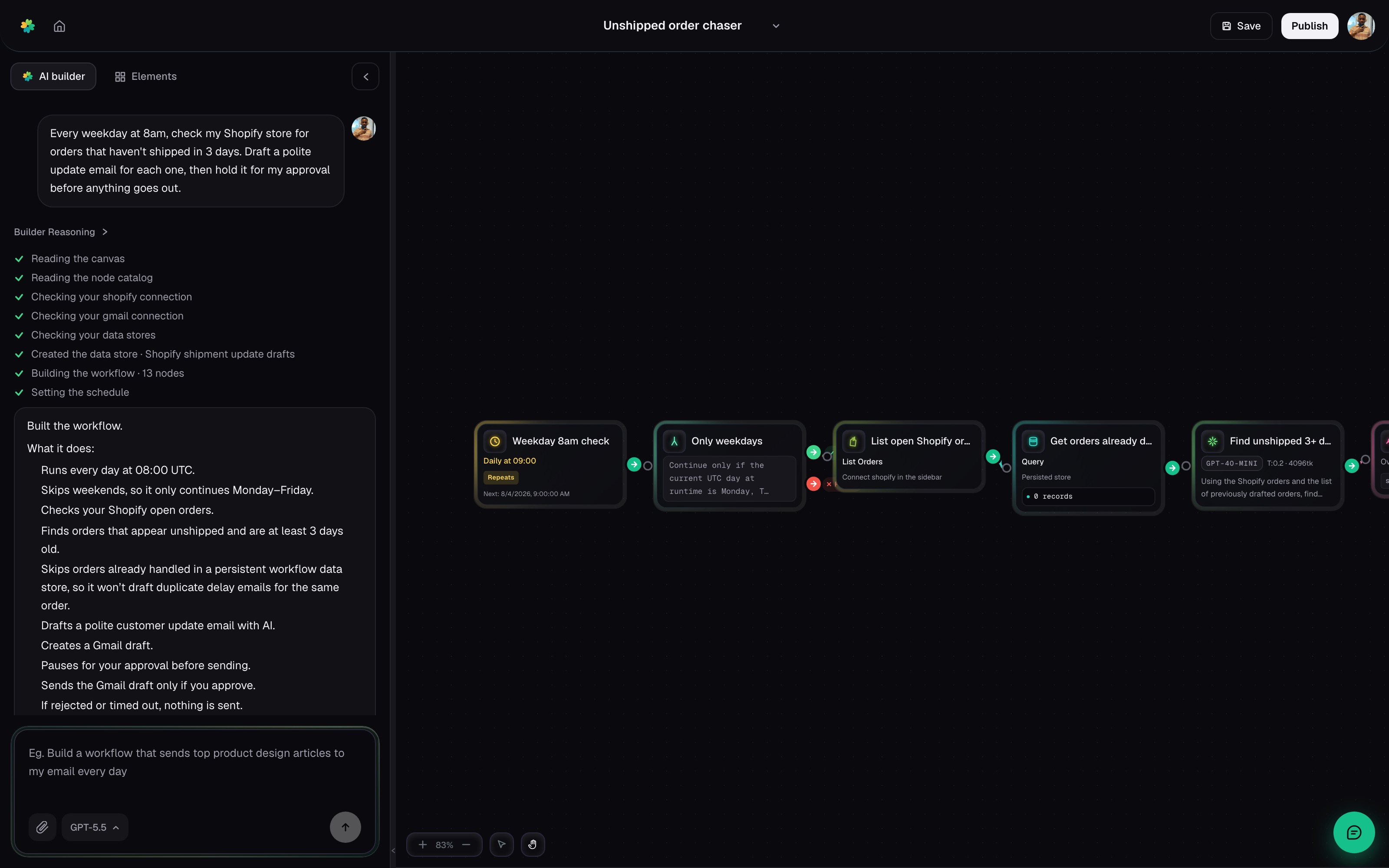
It runs without you.
You see everything.
Set the schedule once. Every step and every output stays in one trace, so if something breaks you see exactly where, why, and what it was holding at the time.
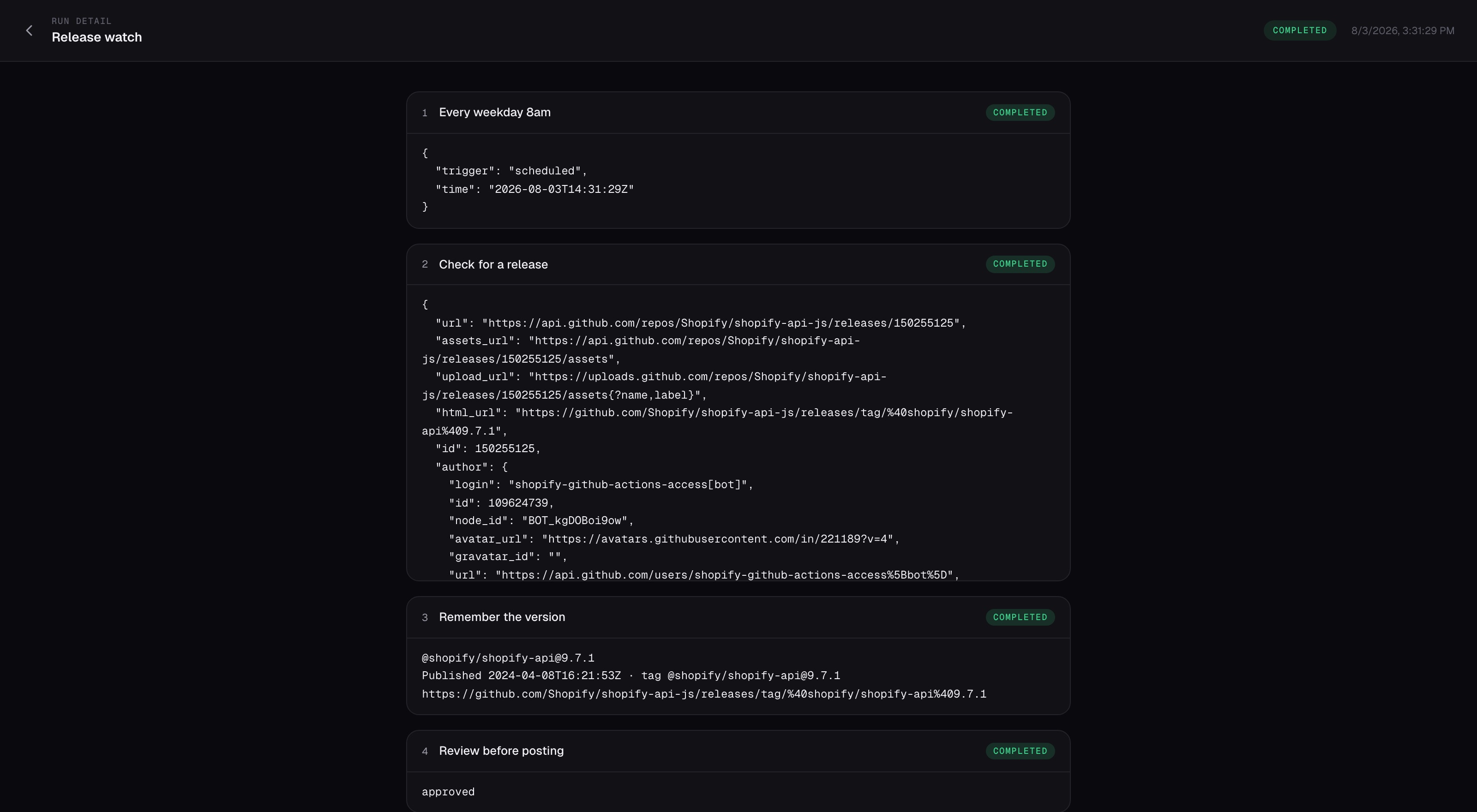
It waits for
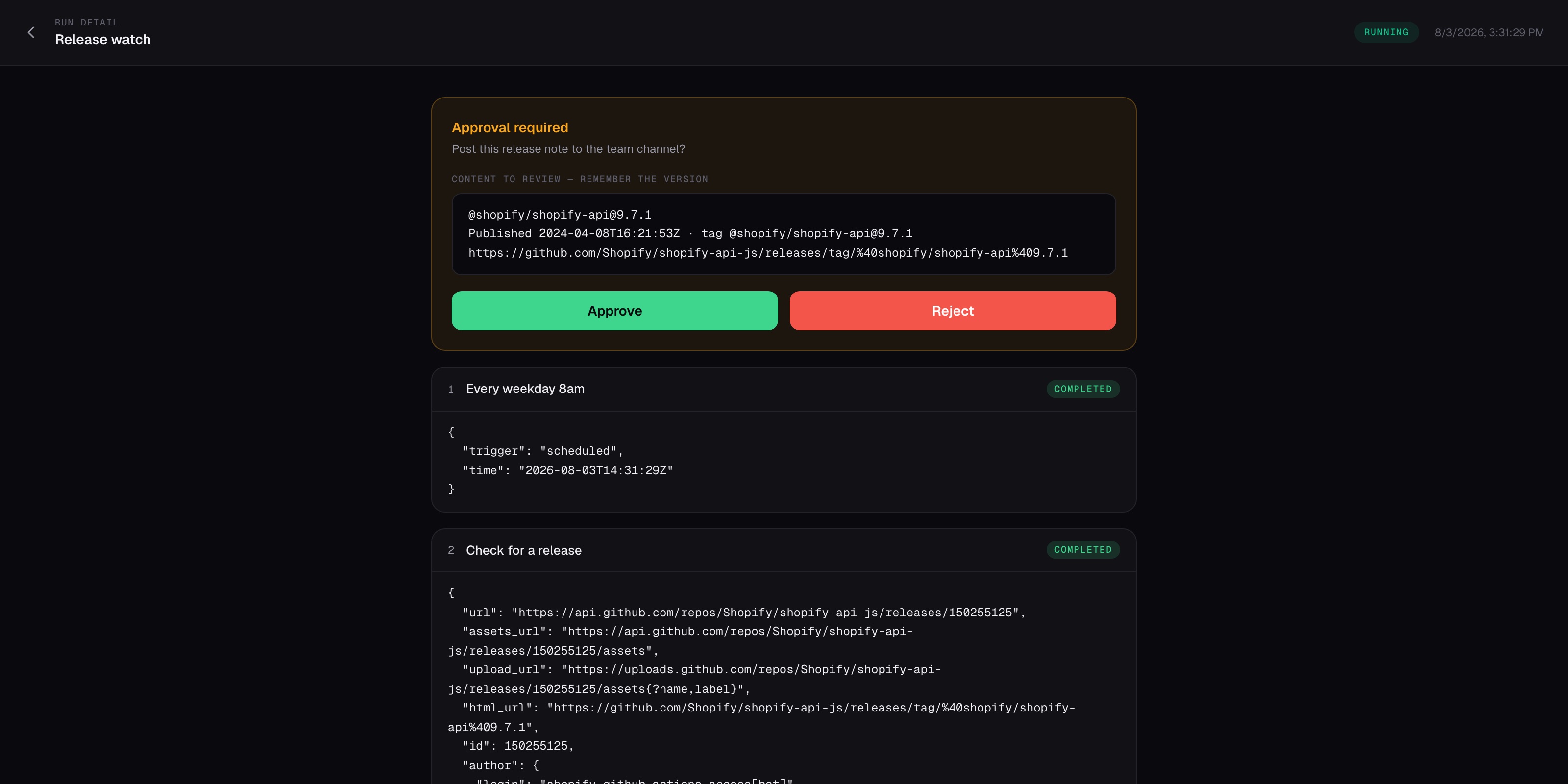
your yes.
Put a review step before anything consequential. The run pauses and brings you the draft. Approve and it continues. Ignore it and nothing ships.
A pull request
can start the run.
Twenty-two events across GitHub, GitLab, Asana, and monday.com can start a run. Failed filters cost nothing.
 Pull request openedListening
Filtered out · no run starts · nothing spent
Your tools are
already waiting.
41 connected apps and more than 850 read-and-write actions. One workflow can read a Stripe charge, update a Sheet, file a Linear issue, and post the result to Slack. Connect an account once, then use it anywhere — or share the connection with your team.
A few you can put to work today








And 25 more. Plus any service with an API.
See what they can doPick the work
you want back.
Choose your team, then see the sentence someone could type and the result Fernary could leave waiting. Every example uses tools and actions available today.
“Find this week’s top AI news, summarise it, and email the team once I’ve read it.”
Drafted and held. You approved it at 08:12, and it went out to the team.
“Every Monday, pull last week’s Stripe charges and refunds into the metrics sheet and tell me what moved.”
Sheet updated, 3 lines written. Net revenue up 12% on the week before.
“Summarise today’s Linear activity and post it to #standup.”
Posted to #standup with 4 items flagged.
“Watch this repo for new releases and post them to the engineering channel.”
shopify-api@9.7.1 posted. It remembered the version, so it won’t post it twice.
Already have a job in mind?
Start with the sentence. The builder handles the blank canvas.
#opsOrder chaser@Fernary which orders haven’t shipped yet?
You build it once,
the team runs it.
Deploy any workflow you built to your whole team, across every app you connected.
Changed your mind?
Say so.
The builder sits behind a button on every screen. Add a step, swap an integration, or reshape the whole thing by asking. It edits the workflow in place while you watch, and the next run picks up the change.
Every weekday at 9am, summarize new Linear issues and post them to #standup.
Done — here's your workflow:
Written by the 9:00 run · kept until you clear it
It remembers what
it already did.
Today’s digest doesn’t repeat yesterday’s. Give a workflow somewhere to keep a counter, a list of what it has already seen, or a running note, scoped to one run, one workflow, or your whole account. The builder offers to set one up when a job needs it, and asks first.
Everything it needs
to run without you.
Claude, GPT, Gemini and Grok. Choose per step, switch whenever.
A step searches, reads, and follows the trail until it has the answer.
On a schedule, on a webhook, or when a connected app says something changed.
One tap approves. Anything you ignore simply never ships.
Real control flow. Fork on a condition, iterate across a list.
Every charge itemised, and no overage, ever. It stops instead.
Give Fernary one job.
Get the time back every run.
Start with the report, inbox, or copy-and-paste job already in your head. Describe it, review what Fernary builds, and publish when you’re ready.